Converting a foreign price: what the number really means
2026-11-06
Why a converted price differs from your statement, how fees and rate dates matter, and how to check the full total before you pay.
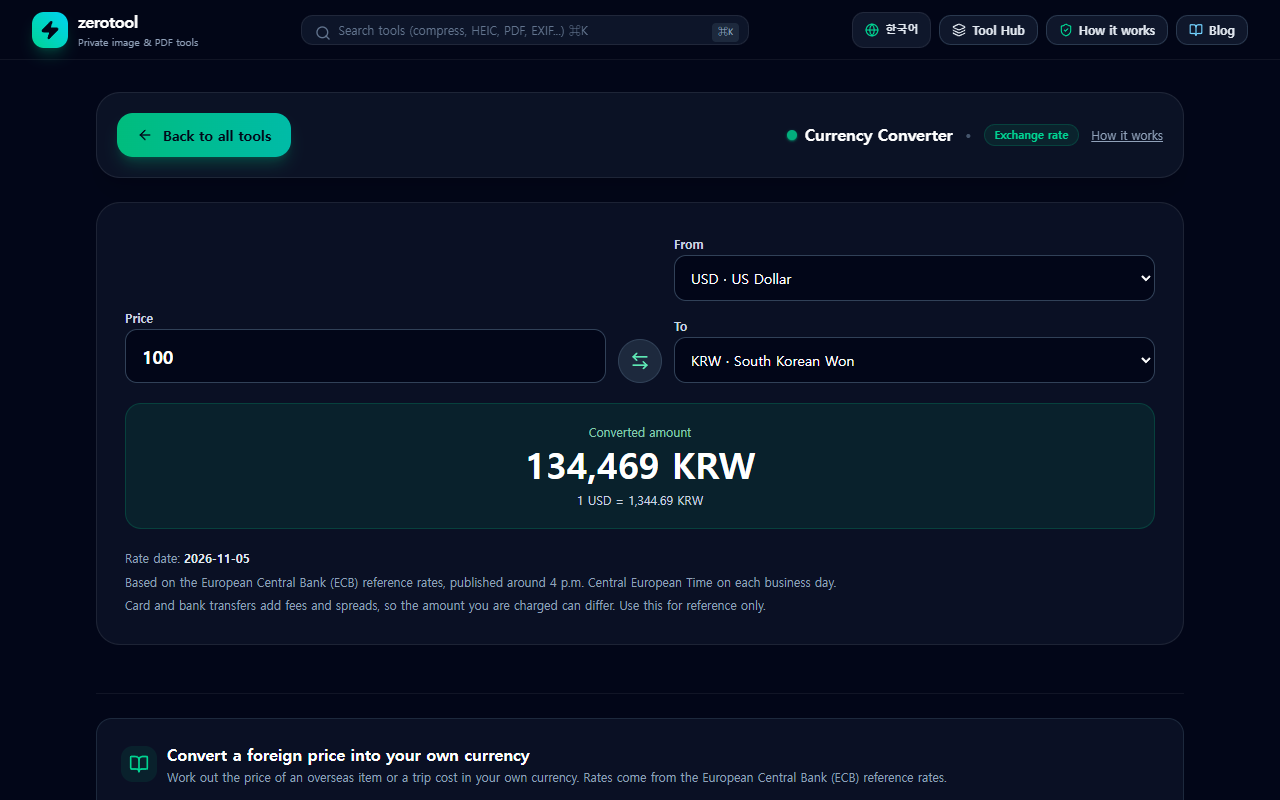
What the converter calculates
Enter a price, choose the currency it is listed in and the currency you want, and the converter multiplies or divides using the two rates. All rates in this tool are measured against the euro, so the conversion between any two currencies is a simple cross calculation.
The result is an estimate based on the reference rate. The rate your card company or bank applies on the day of payment can be different. Treat the number as a way to understand roughly what a foreign price means in your money, not as a quote.
Where the rates come from
The tool uses the reference rates published by the European Central Bank (ECB). The ECB publishes them once per business day, around 4 p.m. Central European Time. In Korea that is roughly 11 p.m. to midnight, depending on daylight saving time.
The list covers about thirty major currencies, including the US dollar, Japanese yen, British pound, Chinese yuan and Korean won. zerotool’s server fetches these rates and keeps them for one hour, so your browser only talks to zerotool.
Why your statement shows a different number
The amount on a foreign card statement is often higher or lower than the converted estimate. There are three common reasons.
- Timing: the card company applies the rate from the day the payment is processed, which can differ from the reference date.
- Foreign transaction fees: many cards add a fee on top of the converted amount.
- Margins: banks and exchange services offer a rate that includes a spread above the published rate.
These differences are normal. The converter is useful for budgeting before you buy. It is not a binding quote.
A checklist before you pay
1. Convert the item price with the currency converter.
2. Add the shipping and any handling fees the seller charges.
3. For cross-border orders, check whether import duties or VAT apply, and add them.
4. Look up your card’s foreign transaction fee in the card app or the terms.
5. Compare the total with the estimate shown on the checkout page.
Be careful if the checkout offers to charge you in your own currency, often called dynamic currency conversion. The seller or card network chooses that rate, and it is usually worse than the rate your card company would apply to a local-currency charge. Unless you have a specific reason, pay in the local currency.
Check the rate date
The tool shows the reference date. The ECB does not publish on weekends or public holidays, so a date a few days old is normal. When the date is several days old, the tool shows a warning.
If you are paying today, the date shown is the most recent official reference rate available. The rate your bank uses on the day may still differ.
What this tool does not do
- It does not show live market prices. The reference rate is updated once per day.
- It does not add fees, margins, duties or shipping automatically.
- It cannot convert a currency that the ECB does not publish a reference rate for.
Use it to decide whether a foreign price is worth buying, then confirm the final amount with your card company or bank.