Split a Photo for an Instagram Grid + Social Sizes
2026-11-07
How to split a big photo into a 3×3 grid, the order to upload in, the commonly used sizes for Instagram, YouTube, Facebook and X, and how to fit an image to them.
Splitting a photo into a grid
The image grid splitter divides one photo evenly into columns and rows and saves one file per piece. Choose a common grid such as 3×3, 3×2 or 3×1, or type the numbers yourself; columns and rows can each be from 1 to 10.
1. Add a photo and choose a grid.
2. The preview draws the lines it will cut along. They are not part of the saved files.
3. Choose a format and save as a ZIP.
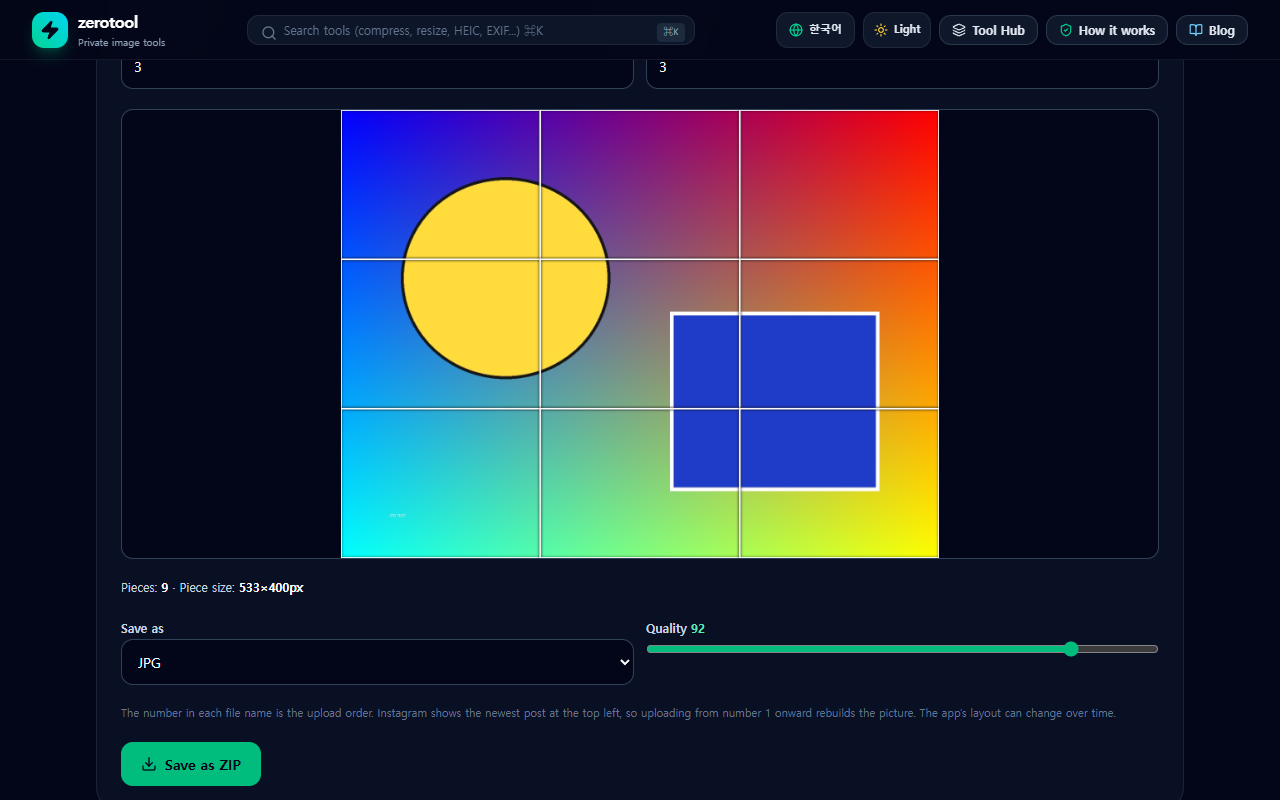
The upload order
The number at the end of each file name is the upload order. The bottom-right piece is number 1 and the top-left piece has the last number. Instagram shows the newest post at the top left, so uploading from number 1 onward rebuilds the original picture. The app’s layout can change, so check before you post.
The photo is not cropped; it is divided on whole-pixel boundaries. If it does not divide evenly, the earlier pieces are 1 pixel larger, which cannot be seen by eye.
Common social image sizes
The social image sizer includes these sizes.
- Instagram: square 1080×1080, portrait 1080×1350, Story and Reels 1080×1920
- YouTube: thumbnail 1280×720, channel banner 2560×1440
- Facebook: post 1200×630, cover 851×315
- X: post 1600×900, header 1500×500
- LinkedIn banner 1584×396, Pinterest pin 1000×1500, OG image 1200×630
Services can change their specs, so check each service’s own guidance before uploading.
Two ways to fit an image
Crop to fill lets you drag the part you want to keep and fills the frame completely. Fit with padding shrinks the image so all of it is visible, without cropping, and fills the leftover space with a color you pick. You can also tick several sizes and save them together as a ZIP; in that mode crop to fill is centered on the photo, so if the key subject is off-center, save each size separately.
If the original is small it is enlarged to the target size and can lose sharpness. The files are not uploaded; they are processed only inside this browser.